Monday, February 01, 2010

The PubSub Framework: Using RSS Feeds in your App

FeedViewer.png
The Project Page for this articles project is on github at http://github.com/Machx/FeedViewer you can grab the source code with git by entering the following command in terminal....
git clone git://github.com/Machx/FeedViewer.git
The PubSub Framework is one of those lesser known Frameworks that Apple introduced in Leopard. It has the ability to parse RSS & ATOM feeds and automatically generate KVO compliant Objective-C objects which you can inspect & enumerate through in your Application. You can even get access to Safari's or Mail.apps RSS feeds and display them in your application. Recently on StackOverflow someone was complaining that there really wasn't an example project showing how you can use PubSub. So what i've decided to do here is setup a minimal project showing how you can efficiently use PubSub to retrieve and display a RSS feed and its contents. I tried to use a bare minimum of custom objects and instead rely on PubSub's classes to automatically generate the objects that should be displayed in the view part of the app, this way you write less code and can more easily extend the code to fit your needs in your own application. I should note that in this example I've decided to take full advantage of Grand Central Dispatch and a 10.6 only API. Here my intent is to take you through a semi-tutorial to show you what you need to do to setup this project. So let's start building this app... First Create a new Cocoa Application Project in Xcode and call it FeedViewer or whatever you want to call it
Snap.png
The next obvious thing we need to do is add the PubSub framework to our app, so right click on Frameworks->Linked Frameworks and go to Add->Existing Frameworks. Find PubSub.Framework and add it. Now create a new Cocoa class which will be our App Controller. Add the following ivars & methods in the header file.
#import <Cocoa/Cocoa.h>
#import <PubSub/PubSub.h>
 
@interface AppController : NSObject {
	PSFeed * newsFeed;
	NSOperationQueue *rssQueue;
	NSError *feedError;
	id psNotification;
}
@property(retain) NSOperationQueue *rssQueue;
@property(retain) PSFeed *newsFeed;
@property(retain) NSError *feedError;
@property(retain) id psNotification;
-(IBAction)startFeedRefresh:(id)sender;
@end
The PSFeed *newsFeed; will both contain information about our RSS Feed and contain the RSS entries once we've started a refresh. The NSOperationQueue *rssQueue; is technically unnecessary here, but to reduce the overall code Im going to use a bit of Grand Central Dispatch + Cocoa magic and a 10.6 only API which let's us register for a Notification & execute a block on another thread from NSOperationQueue. Thanks to the 10.6 API's this is pretty easy & should be done in the background to not interrupt the main UI thread. You could accomplish the same thing on 10.5, but you'd still need an NSOperationQueue, and you'd have to register for a notification on PSFeed and when you see a feed is done refreshing create an NSOperation subclass object, put it on the queue and (again) check for when the NSOperation object is finished executing. The NSError *feedError; is for presenting an error to our users so they have some feedback in the case something goes wrong.The Method -(IBAction)startFeedRefresh:(id)sender; is the only method we really need here for starting the refresh on the PSFeed. Lastly the id psNotification will be used to retain an object that Cocoa gives us for receiving notifications, you'll understand this more later on. In AppController.m i'll explain things slightly out of order just so you know the flow of the code. First the obvious -init stuff...
@synthesize rssQueue;
@synthesize newsFeed;
@synthesize feedError;
@synthesize psNotification;
 
-(id)init
{
	if (self = [super init]) {
		NSURL *feedURL = [NSURL URLWithString:kAppleRSSNewsFeed];
		newsFeed = [[PSFeed alloc] initWithURL:feedURL];
		rssQueue = [[NSOperationQueue alloc] init];
		[rssQueue setName:@"com.FeedViewer.rssQueue"];
		feedError = nil;
		psNotification = nil;
	}
	return self;
}
Most of this doesn't need explanation except for 2 things. First if you've never seen [rssQueue setName:@"com.FeedViewer.rssQueue"]; you should. In 10.6 Apple rewrote NSOperation and NSOperationQueue so they now use Grand Central Dispatch, essentially an Objective-C wrapper around the lower level GCD API's. Plus NSOperation(Queue) provides some nice additional functionality, and it a great fit for how to do threading in Objective-C (See my article on Grand Central Dispatch if you want more info.) Grand Central Dispatch uses Queues as its primary means of receiving blocks to take in and dispatch threads. And for debugging purposes its nice to set a name for these queues so you know which Queues are yours and what the queues are doing. You can name your Queues what you want, but Apple encourages reverse style DNS naming like above. The other thing is I am using here is a constant kAppleRSSNewsFeed which is defined as
static NSString * const kAppleRSSNewsFeed = @"http://images.apple.com/main/rss/hotnews/hotnews.rss";
This could have been accomplished by using #define as well, but I am generally a fan of doing it this way so it doesn't clutter your method list in Xcode with a bunch of #defines that you don't care about most of the time. Now for our -(IBAction)startFeedRefresh:(id)sender method...
-(IBAction)startFeedRefresh:(id)sender;
{
	[newsFeed refresh:&feedError];
}
That's it! This -refresh method is asynchronous (which Apple encourages), so most of the work is done elsewhere. In this case in the -awakeFromNib method...
-(void)awakeFromNib
{
	NSNotificationCenter *notifyCenter = [NSNotificationCenter defaultCenter];
	self.psNotification = [notifyCenter addObserverForName:PSFeedRefreshingNotification 
		object:newsFeed 
		queue:rssQueue 
		usingBlock:^(NSNotification *arg1) {
 
		if ([newsFeed isRefreshing]) {
			return;
		}
		 
		[[NSOperationQueue mainQueue] addOperationWithBlock:^{
			
			if (nil != feedError) {
				[NSApp presentError:feedError];
				return;
			}
			
			//inform our KVO Controllers that we now have 
			//RSS entries to display
			[self willChangeValueForKey:@"newsFeed"];
			[self didChangeValueForKey:@"newsFeed"];
		}];
	}];
}
First off I apologize for how bad the formatting of the first few lines of code look in this method, here on this blog, I am trying to not make the code stretch out horizontally for too long. Anyway all we are doing here is registering for a notification on the (PSFeed *) newsFeed object for the PSFeedRefreshingNotification notification. Also we are giving it a NSOperationQueue object (our rssQueue), and a block to execute. This API is equivalent to registering for the notification and inside -observeValueForKeyPath:ofObject:change:context: we created an NSOperation object and then added it to a NSOperationQueue, instead we are doing this and registering for the notification all with 1 API. It still feels odd assigning a value to -addObserver... especially since if you've been doing this in 10.4 and 10.5 this method has a void return type ( - (void)addObserver:(NSObject *)observer forKeyPath:(NSString *)keyPath options:(NSKeyValueObservingOptions)options context:(void *)context.) However you need to retain this id object given to you, otherwise you'll leak in non-Garbage Collected code and your block will never be called under Garbage Collection, I presume because its being collected by the Garbage Collector before the notification is ever sent out. The first thing we need to do right away is to check if the feed is still refreshing, if it is then there is no point in doing anything else except immediately returning. If we aren't refreshing anymore then the PSFeed is done refreshing and we can then go back to the main thread and send out any notifications, etc to finish up the process. In this case all that needs to be done is sending KVO notifications that PSFeed has changed and that any controller objects that are doing bindings work for us, should update themselves. This is all that is necessary on the code side of things, the rest will be done in KVO with Cocoa Bindings in the XIB. All we need for this is 2 controllers a NSArrayController to bind to the PSFeeds entries array and a NSObjectController to bind to the selected PSEntry object's content object which is a PSContent object. I've created a quick and short video explaining what's going on... So now you understand what's going on in the UI. To give an overview of the entire app this is what happens. We tell our PSFeed objet to refresh its entires. When we receive PubSub's notification, a check is done to see if we are refreshing, if we are then we immediately return, if not then we send KVO notifications to let our bindings controllers update. Our NSArrayController updates and our NSTableColumns which are bound to NSArrayController update and populate the table. When the Table has a selection our NSObjectController updates with the PSContent object and a NSTextView which binds to the plainTextString property updates and displays the content for the selected PSEntry object. Here are some useful links Publication Subscription Programming Guide Publication Subscription Framework Reference Short and Sweet. Now get using RSS in your apps!

Wednesday, January 20, 2010

Understanding the Objective-C Runtime

Screen shot 2010-01-15 at 10.18.04 AM.png
The Objective-C Runtime is one of the overlooked features of Objective-C initially when people are generally introduced to Cocoa/Objective-C. The reason for this is that while Objective-C (the language) is easy to pick up in only a couple hours, newcomers to Cocoa spend most of their time wrapping their heads around the Cocoa Framework and adjusting to how it works. However the runtime is something that everybody should at least know how it works in some detail beyond knowing that code like [target doMethodWith:var1]; gets translated into objc_msgSend(target,@selector(doMethodWith:),var1); by the compiler. Knowing what the Objective-C runtime is doing will help you gain a much deeper understanding of Objective-C itself and how your app is run. I think Mac/iPhone Developers will gain something from this, regardless of your level of experience.

The Objective-C Runtime is Open Source
The Objective-C Runtime is open source and available anytime from http://opensource.apple.com. In fact examining the Objective-C is one of the first ways I went through to figure out how it worked, beyond reading Apples documentation on the matter. You can download the current version of the runtime (as of this writting) for Mac OS X 10.6.2 here objc4-437.1.tar.gz.

Dynamic vs Static Languages
Objective-C is a runtime oriented language, which means that when it's possible it defers decisions about what will actually be executed from compile & link time to when it's actually executing on the runtime. This gives you a lot of flexibility in that you can redirect messages to appropriate objects as you need to or you can even intentionally swap method implementations, etc. This requires the use of a runtime which can introspect objects to see what they do & don't respond to and dispatch methods appropriately. If we contrast this to a language like C. In C you start out with a main() method and then from there it's pretty much a top down design of following your logic and executing functions as you've written your code. A C struct can't forward requests to perform a function onto other targets. Pretty much you have a program like so

#include < stdio.h >
 
int main(int argc, const char **argv[])
{
        printf("Hello World!");
        return 0;
} 
which a compiler parses, optimizes and then transforms your optimized code into assembly
.text
 .align 4,0x90
 .globl _main
_main:
Leh_func_begin1:
 pushq %rbp
Llabel1:
 movq %rsp, %rbp
Llabel2:
 subq $16, %rsp
Llabel3:
 movq %rsi, %rax
 movl %edi, %ecx
 movl %ecx, -8(%rbp)
 movq %rax, -16(%rbp)
 xorb %al, %al
 leaq LC(%rip), %rcx
 movq %rcx, %rdi
 call _printf
 movl $0, -4(%rbp)
 movl -4(%rbp), %eax
 addq $16, %rsp
 popq %rbp
 ret
Leh_func_end1:
 .cstring
LC:
 .asciz "Hello World!"
and then links it together with a library and produces a executable. This contrasts from Objective-C in that while the process is similar the code that the compiler generates depends on the presence of the Objective-C Runtime Library. When we are all initially introduced to Objective-C we are told that (at a simplistic level) what happens to our Objective-C bracket code is something like...
[self doSomethingWithVar:var1];
gets translated to...
objc_msgSend(self,@selector(doSomethingWithVar:),var1);
but beyond this we don't really know much till much later on what the runtime is doing.

What is the Objective-C Runtime?
The Objective-C Runtime is a Runtime Library, it's a library written mainly in C & Assembler that adds the Object Oriented capabilities to C to create Objective-C. This means it loads in Class information, does all method dispatching, method forwarding, etc. The Objective-C runtime essentially creates all the support structures that make Object Oriented Programming with Objective-C Possible.


Objective-C Runtime Terminology
So before we go on much further, let's get some terminology out of the way so we are all on the same page about everything. 2 Runtimes As far as Mac & iPhone Developers are concerned there are 2 runtimes: The Modern Runtime & the Legacy Runtime Modern Runtime: Covers all 64 bit Mac OS X Apps & all iPhone OS Apps Legacy Runtime: Covers everything else (all 32 bit Mac OS X Apps) Method There are 2 basic types of methods. Instance Methods (begin with a '-' like -(void)doFoo; that operate on Object Instances. And Class Methods (begin with a '+' like + (id)alloc. Methods are just like C Functions in that they are a grouping of code that performs a small task like
-(NSString *)movieTitle
{
    return @"Futurama: Into the Wild Green Yonder";
}
Selector A selector in Objective-C is essentially a C data struct that serves as a mean to identify an Objective-C method you want an object to perform. In the runtime it's defined like so...
typedef struct objc_selector  *SEL; 
and used like so...
SEL aSel = @selector(movieTitle); 
Message
[target getMovieTitleForObject:obj];
An Objective-C Message is everything between the 2 brackets '[ ]' and consists of the target you are sending a message to, the method you want it to perform and any arguments you are sending it. A Objective-C message while similar to a C function call is different. The fact that you send a message to an object doesn't mean that it'll perform it. The Object could check who the sender of the message is and based on that decide to perform a different method or forward the message onto a different target object. Class If you look in the runtime for a class you'll come across this...
typedef struct objc_class *Class;
typedef struct objc_object {
    Class isa;
} *id; 
Here there are several things going on. We have a struct for an Objective-C Class and a struct for an object. All the objc_object has is a class pointer defined as isa, this is what we mean by the term 'isa pointer'. This isa pointer is all the Objective-C Runtime needs to inspect an object and see what it's class is and then begin seeing if it responds to selectors when you are messaging objects. And lastly we see the id pointer. The id pointer by default tells us nothing about Objective-C objects except that they are Objective-C objects. When you have a id pointer you can then ask that object for it's class, see if it responds to a method, etc and then act more specifically when you know what the object is that you are pointing to. You can see this as well on Blocks in the LLVM/Clang docs
struct Block_literal_1 {
    void *isa; // initialized to &_NSConcreteStackBlock or &_NSConcreteGlobalBlock
    int flags;
    int reserved; 
    void (*invoke)(void *, ...);
    struct Block_descriptor_1 {
 unsigned long int reserved; // NULL
     unsigned long int size;  // sizeof(struct Block_literal_1)
 // optional helper functions
     void (*copy_helper)(void *dst, void *src);
     void (*dispose_helper)(void *src); 
    } *descriptor;
    // imported variables
}; 
Blocks themselves are designed to be compatible with the Objective-C runtime so they are treated as objects so they can respond to messages like -retain,-release,-copy,etc. IMP (Method Implementations)
typedef id (*IMP)(id self,SEL _cmd,...); 
IMP's are function pointers to the method implementations that the compiler will generate for you. If your new to Objective-C you don't need to deal with these directly until much later on, but this is how the Objective-C runtime invokes your methods as we'll see soon. Objective-C Classes So what's in an Objectve-C Class? The basic implementation of a class in Objective-C looks like
@interface MyClass : NSObject {
//vars
NSInteger counter;
}
//methods
-(void)doFoo;
@end
but the runtime has more than that to keep track of
#if !__OBJC2__
    Class super_class                                        OBJC2_UNAVAILABLE;
    const char *name                                         OBJC2_UNAVAILABLE;
    long version                                             OBJC2_UNAVAILABLE;
    long info                                                OBJC2_UNAVAILABLE;
    long instance_size                                       OBJC2_UNAVAILABLE;
    struct objc_ivar_list *ivars                             OBJC2_UNAVAILABLE;
    struct objc_method_list **methodLists                    OBJC2_UNAVAILABLE;
    struct objc_cache *cache                                 OBJC2_UNAVAILABLE;
    struct objc_protocol_list *protocols                     OBJC2_UNAVAILABLE;
#endif 
We can see a class has a reference to it's superclass, it's name, instance variables, methods, cache and protocols it claims to adhere to. The runtime needs this information when responding to messages that message your class or it's instances.


So Classes define objects and yet are objects themselves? How does this work
Yes earlier I said that in objective-c classes themselves are objects as well, and the runtime deals with this by creating Meta Classes. When you send a message like [NSObject alloc] you are actually sending a message to the class object, and that class object needs to be an instance of the MetaClass which itself is an instance of the root meta class. While if you say subclass from NSObject, your class points to NSObject as it's superclass. However all meta classes point to the root metaclass as their superclass. All meta classes simply have the class methods for their method list of messages that they respond to. So when you send a message to a class object like [NSObject alloc] then objc_msgSend() actually looks through the meta class to see what it responds to then if it finds a method, operates on the Class object.

Why we subclass from Apples Classes
So initially when you start Cocoa development, tutorials all say to do things like subclass NSObject and start then coding something and you enjoy a lot of benefits simply by inheriting from Apples Classes. One thing you don't even realize that happens for you is setting your objects up to work with the Objective-C runtime. When we allocate an instance of one of our classes it's done like so...
MyObject *object = [[MyObject alloc] init];
the very first message that gets executed is +alloc. If you look at the documentation it says that "The isa instance variable of the new instance is initialized to a data structure that describes the class; memory for all other instance variables is set to 0." So by inheriting from Apples classes we not only inherit some great attributes, but we inherit the ability to easily allocate and create our objects in memory that matches a structure the runtime expects (with a isa pointer that points to our class) & is the size of our class.


So what's with the Class Cache? ( objc_cache *cache )
When the Objective-C runtime inspects an object by following it's isa pointer it can find an object that implements many methods. However you may only call a small portion of them and it makes no sense to search the classes dispatch table for all the selectors every time it does a lookup. So the class implements a cache, whenever you search through a classes dispatch table and find the corresponding selector it puts that into it's cache. So when objc_msgSend() looks through a class for a selector it searches through the class cache first. This operates on the theory that if you call a message on a class once, you are likely to call that same message on it again later. So if we take this into account this means that if we have a subclass of NSObject called MyObject and run the following code
MyObject *obj = [[MyObject alloc] init];
 
@implementation MyObject
-(id)init {
    if(self = [super init]){
        [self setVarA:@”blah”];
    }
    return self;
}
@end
the following happens (1) [MyObject alloc] gets executed first. MyObject class doesn't implement alloc so we will fail to find +alloc in the class and follow the superclass pointer which points to NSObject (2) We ask NSObject if it responds to +alloc and it does. +alloc checks the receiver class which is MyObject and allocates a block of memory the size of our class and initializes it's isa pointer to the MyObject class and we now have an instance and lastly we put +alloc in NSObject's class cache for the class object (3) Up till now we were sending a class messages but now we send an instance message which simply calls -init or our designated initializer. Of course our class responds to that message so -(id)init get's put into the cache (4) Then self = [super init] gets called. Super being a magic keyword that points to the objects superclass so we go to NSObject and call it's init method. This is done to insure that OOP Inheritance works correctly in that all your super classes will initialize their variables correctly and then you (being in the subclass) can initialize your variables correctly and then override the superclasses if you really need to. In the case of NSObject, nothing of huge importance goes on, but that is not always the case. Sometimes important initialization happens. Take this...
#import < Foundation/Foundation.h>
 
@interface MyObject : NSObject
{
 NSString *aString;
}
 
@property(retain) NSString *aString;
 
@end
 
@implementation MyObject
 
-(id)init
{
 if (self = [super init]) {
  [self setAString:nil];
 }
 return self;
}
 
@synthesize aString;
 
@end


int main (int argc, const char * argv[]) {
    NSAutoreleasePool * pool = [[NSAutoreleasePool alloc] init];
 
 id obj1 = [NSMutableArray alloc];
 id obj2 = [[NSMutableArray alloc] init];
  
 id obj3 = [NSArray alloc];
 id obj4 = [[NSArray alloc] initWithObjects:@"Hello",nil];
  
 NSLog(@"obj1 class is %@",NSStringFromClass([obj1 class]));
 NSLog(@"obj2 class is %@",NSStringFromClass([obj2 class]));
  
 NSLog(@"obj3 class is %@",NSStringFromClass([obj3 class]));
 NSLog(@"obj4 class is %@",NSStringFromClass([obj4 class]));
  
 id obj5 = [MyObject alloc];
 id obj6 = [[MyObject alloc] init];
  
 NSLog(@"obj5 class is %@",NSStringFromClass([obj5 class]));
 NSLog(@"obj6 class is %@",NSStringFromClass([obj6 class]));
  
 [pool drain];
    return 0;
}
Now if you were new to Cocoa and I asked you to guess as to what would be printed you'd probably say
NSMutableArray
NSMutableArray 
NSArray
NSArray
MyObject
MyObject
but this is what happens
obj1 class is __NSPlaceholderArray
obj2 class is NSCFArray
obj3 class is __NSPlaceholderArray
obj4 class is NSCFArray
obj5 class is MyObject
obj6 class is MyObject
This is because in Objective-C there is a potential for +alloc to return an object of one class and then -init to return an object of another class.

So what happens in objc_msgSend anyway?
There is actually a lot that happens in objc_msgSend(). Lets say we have code like this...
[self printMessageWithString:@"Hello World!"];
it actually get's translated by the compiler to...
objc_msgSend(self,@selector(printMessageWithString:),@"Hello World!");
From there we follow the target objects isa pointer to lookup and see if the object (or any of it's superclasses) respond to the selector @selector(printMessageWithString:). Assuming we find the selector in the class dispatch table or it's cache we follow the function pointer and execute it. Thus objc_msgSend() never returns, it begins executing and then follows a pointer to your methods and then your methods return, thus looking like objc_msgSend() returned. Bill Bumgarner went into much more detail ( Part 1, Part 2 & Part 3) on objc_msgSend() than I will here. But to summarize what he said and what you'd see looking at the Objective-C runtime code... 1. Checks for Ignored Selectors & Short Circut - Obviously if we are running under garbage collection we can ignore calls to -retain,-release, etc 2. Check for nil target. Unlike other languages messaging nil in Objective-C is perfectly legal & there are some valid reasons you'd want to. Assuming we have a non nil target we go on... 3. Then we need to find the IMP on the class, so we first search the class cache for it, if found then follow the pointer and jump to the function 4. If the IMP isn't found in the cache then the class dispatch table is searched next, if it's found there follow the pointer and jump to the pointer 5. If the IMP isn't found in the cache or class dispatch table then we jump to the forwarding mechanism This means in the end your code is transformed by the compiler into C functions. So a method you write like say...
-(int)doComputeWithNum:(int)aNum 
would be transformed into...
int aClass_doComputeWithNum(aClass *self,SEL _cmd,int aNum) 
And the Objective-C Runtime calls your methods by invoking function pointers to those methods. Now I said that you cannot call those translated methods directly, however the Cocoa Framework does provide a method to get at the pointer...
//declare C function pointer
int (computeNum *)(id,SEL,int);
 
//methodForSelector is COCOA & not ObjC Runtime
//gets the same function pointer objc_msgSend gets
computeNum = (int (*)(id,SEL,int))[target methodForSelector:@selector(doComputeWithNum:)];
 
//execute the C function pointer returned by the runtime
computeNum(obj,@selector(doComputeWithNum:),aNum); 
In this way you can get direct access to the function and directly invoke it at runtime and even use this to circumvent the dynamism of the runtime if you absolutely need to make sure that a specific method is executed. This is the same way the Objective-C Runtime invokes your method, but using objc_msgSend().

Objective-C Message Forwarding
In Objective-C it's very legal (and may even be an intentional design decision) to send messages to objects to which they don't know how to respond to. One reason Apple gives for this in their docs is to simulate multiple inheritance which Objective-C doesn't natively support, or you may just want to abstract your design and hide another object/class behind the scenes that deals with the message. This is one thing that the runtime is very necessary for. It works like so 1. The Runtime searches through the class cache and class dispatch table of your class and all the super classes, but fails to to find the specified method 2. The Objective-C Runtime will call + (BOOL) resolveInstanceMethod:(SEL)aSEL on your class. This gives you a chance to provide a method implementation and tell the runtime that you've resolved this method and if it should begin to do it's search it'll find the method now. You could accomplish this like so... define a function...
void fooMethod(id obj, SEL _cmd)
{
 NSLog(@"Doing Foo");
}
you could then resolve it like so using class_addMethod()...
+(BOOL)resolveInstanceMethod:(SEL)aSEL
{
    if(aSEL == @selector(doFoo:)){
        class_addMethod([self class],aSEL,(IMP)fooMethod,"v@:");
        return YES;
    }
    return [super resolveInstanceMethod];
}
The "v@:" in the last part of class_addMethod() is what the method is returning and it's arguments. You can see what you can put there in the Type Encodings section of the Runtime Guide. 3. The Runtime then calls - (id)forwardingTargetForSelector:(SEL)aSelector. What this does is give you a chance (since we couldn't resolve the method (see #2 above)) to point the Objective-C runtime at another object which should respond to the message, also this is better to do before the more expensive process of invoking - (void)forwardInvocation:(NSInvocation *)anInvocation takes over. You could implement it like so
- (id)forwardingTargetForSelector:(SEL)aSelector
{
    if(aSelector == @selector(mysteriousMethod:)){
        return alternateObject;
    }
    return [super forwardingTargetForSelector:aSelector];
}
Obviously you don't want to ever return self from this method or it could result in an infinite loop. 4. The Runtime then tries one last time to get a message sent to it's intended target and calls - (void)forwardInvocation:(NSInvocation *)anInvocation. If you've never seen NSInvocation, it's essentially an Objective-C Message in object form. Once you have an NSInvocation you essentially can change anything about the message including it's target, selector & arguments. So you could do...
-(void)forwardInvocation:(NSInvocation *)invocation
{
    SEL invSEL = invocation.selector;
 
    if([altObject respondsToSelector:invSEL]) {
        [invocation invokeWithTarget:altObject];
    } else {
        [self doesNotRecognizeSelector:invSEL];
    }
}
by default if you inherit from NSObject it's - (void)forwardInvocation:(NSInvocation *)anInvocation implementation simply calls -doesNotRecognizeSelector: which you could override if you wanted to for one last chance to do something about it.

Non Fragile ivars (Modern Runtime)
One of the things we recently gained in the modern runtime is the concept of Non Fragile ivars. When compiling your classes a ivar layout is made by the compiler that shows where to access your ivars in your classes, this is the low level detail of getting a pointer to your object, seeing where the ivar is offset in relation to the beginning of the bytes the object points at, and reading in the amount of bytes that is the size of the type of variable you are reading in. So your ivar layout may look like this, with the number in the left column being the byte offset.

  nf1.png


Here we have the ivar layout for NSObject and then we subclass NSObject to extend it and add on our own ivars. This works fine until Apple ships a update or all new Mac OS X 10.x release and this happens

nf2.png


Your custom objects get wiped out because we have an overlapping superclass. The only alternative that could prevent this is if Apple sticked with the layout it had before, but if they did that then their Frameworks could never advance because their ivar layouts were frozen in stone. Under fragile ivars you have to recompile your classes that inherit from Apples classes to restore compatibility. So what Happens under non fragile ivars?

  nf3.png


Under Non Fragile ivars the compiler generates the same ivar layout as under fragile ivars. However when the runtime detects an overlapping superclass it adjusts the offsets to your additions to the class, thus your additions in a subclass are preserved.

Objective-C Associated Objects
One thing recently introduced in Mac OS X 10.6 Snow Leopard was called Associated References. Objective-C has no support for dynamically adding on variables to objects unlike some other languages that have native support for this. So up until now you would have had to go to great lengths to build the infrastructure to pretend that you are adding a variable onto a class. Now in Mac OS X 10.6, the Objective-C Runtime has native support for this. If we wanted to add a variable to every class that already exists like say NSView we could do so like this...
#import < Cocoa/Cocoa.h> //Cocoa
#include < objc/runtime.h> //objc runtime api’s
 
@interface NSView (CustomAdditions)
@property(retain) NSImage *customImage;
@end
 
@implementation NSView (CustomAdditions)
 
static char img_key; //has a unique address (identifier)
 
-(NSImage *)customImage
{
    return objc_getAssociatedObject(self,&img_key);
}
 
-(void)setCustomImage:(NSImage *)image
{
    objc_setAssociatedObject(self,&img_key,image,
                             OBJC_ASSOCIATION_RETAIN);
}
 
@end
you can see in runtime.h the options for how to store the values passed to objc_setAssociatedObject().
/* Associated Object support. */
 
/* objc_setAssociatedObject() options */
enum {
    OBJC_ASSOCIATION_ASSIGN = 0,
    OBJC_ASSOCIATION_RETAIN_NONATOMIC = 1,
    OBJC_ASSOCIATION_COPY_NONATOMIC = 3,
    OBJC_ASSOCIATION_RETAIN = 01401,
    OBJC_ASSOCIATION_COPY = 01403
}; 
These match up with the options you can pass in the @property syntax.

Hybrid vTable Dispatch
If you look through the modern runtime code you'll come across this (in objc-runtime-new.m)...
/***********************************************************************
* vtable dispatch
* 
* Every class gets a vtable pointer. The vtable is an array of IMPs.
* The selectors represented in the vtable are the same for all classes
*   (i.e. no class has a bigger or smaller vtable).
* Each vtable index has an associated trampoline which dispatches to 
*   the IMP at that index for the receiver class's vtable (after 
*   checking for NULL). Dispatch fixup uses these trampolines instead 
*   of objc_msgSend.
* Fragility: The vtable size and list of selectors is chosen at launch 
*   time. No compiler-generated code depends on any particular vtable 
*   configuration, or even the use of vtable dispatch at all.
* Memory size: If a class's vtable is identical to its superclass's 
*   (i.e. the class overrides none of the vtable selectors), then 
*   the class points directly to its superclass's vtable. This means 
*   selectors to be included in the vtable should be chosen so they are 
*   (1) frequently called, but (2) not too frequently overridden. In 
*   particular, -dealloc is a bad choice.
* Forwarding: If a class doesn't implement some vtable selector, that 
*   selector's IMP is set to objc_msgSend in that class's vtable.
* +initialize: Each class keeps the default vtable (which always 
*   redirects to objc_msgSend) until its +initialize is completed.
*   Otherwise, the first message to a class could be a vtable dispatch, 
*   and the vtable trampoline doesn't include +initialize checking.
* Changes: Categories, addMethod, and setImplementation all force vtable 
*   reconstruction for the class and all of its subclasses, if the 
*   vtable selectors are affected.
**********************************************************************/
The idea behind this is that the runtime is trying to store in this vtable the most called selectors so this in turn speeds up your app because it uses fewer instructions than objc_msgSend. This vtable is the 16 most called selectors which make up an overwheling majority of all the selectors called globally, in fact further down in the code you can see the default selectors for Garbage Collected & non Garbage Collected apps...
static const char * const defaultVtable[] = {
    "allocWithZone:", 
    "alloc", 
    "class", 
    "self", 
    "isKindOfClass:", 
    "respondsToSelector:", 
    "isFlipped", 
    "length", 
    "objectForKey:", 
    "count", 
    "objectAtIndex:", 
    "isEqualToString:", 
    "isEqual:", 
    "retain", 
    "release", 
    "autorelease", 
};
static const char * const defaultVtableGC[] = {
    "allocWithZone:", 
    "alloc", 
    "class", 
    "self", 
    "isKindOfClass:", 
    "respondsToSelector:", 
    "isFlipped", 
    "length", 
    "objectForKey:", 
    "count", 
    "objectAtIndex:", 
    "isEqualToString:", 
    "isEqual:", 
    "hash", 
    "addObject:", 
    "countByEnumeratingWithState:objects:count:", 
};
So how will you know if your dealing with it? You'll see one of several methods called in your stack traces while your debugging. All of these you should basically treat just like they are objc_msgSend() for debugging purposes... objc_msgSend_fixup happens when the runtime is assigning one of these methods that your calling a slot in the vtable. objc_msgSend_fixedup occurs when your calling one of these methods that was supposed to be in the vtable but is no longer in there objc_msgSend_vtable[0-15] you'll might see a call to something like objc_msgSend_vtable5 this means you are calling one of these common methods in the vtable. The runtime can assign and unassign these as it wants to, so you shouldn't count on the fact that objc_msgSend_vtable10 corresponds to -length on one run means it'll ever be there on any of your next runs.


Conclusion
I hope you liked this, this article essentially makes up the content I covered in my Objective-C Runtime talk to the Des Moines Cocoaheads (a lot to pack in for as long a talk as we had.) The Objective-C Runtime is a great piece of work, it does a lot powering our Cocoa/Objective-C apps and makes possible so many features we just take for granted. Hope I hope if you haven't yet you'll take a look through these docs Apple has that show how you can take advantage of the Objective-C Runtime. Thanks! Objective-C Runtime Programming Guide Objective-C Runtime Reference

Sunday, January 10, 2010

Des Moines Cocoaheads 1/14: Understanding the Objective-C Runtime

http://cocoaheads.org/us/DesMoinesIowa/index.html Where: Impromptu Studios in Downtown Des Moines, IA 300 SW 5th St, Suite 220 When : Thursday, January 14 @ 7pm I will be doing a talk this Thursday at the Des Moines Cocoaheads on Understanding the Objective-C Runtime. The talk is applicable to both Mac OS X & iPhone Developers and will cover a range of beginner to advanced materials. We'll go over how the Objective-C runtime functions, how your bracket code is transformed by the compiler and what it takes to make Objective-C function the way we expect. There will be plenty of time for Q&A afterwards. If your in Central Iowa come on in and say hello to everybody! Some time after this talk is concluded, the talk will be posted here in one form or another (either i'll do a screencast or write an article from the contents of the talk, depending on what I have time for.)

Monday, October 12, 2009

Book Review: Cocoa Design Patterns

cdp.png The Cocoa Design Patterns Book is one I've been anticipating for a while now and the first Cocoa book i've gotten in my hands that I've been really excited to read (i just finally got Bill Dudneys iPhone SDK book and Marcus Zarra's Core Data Book after I already started reading this.) Mac & iPhone Developers face a unique challenge when learning Cocoa in that you are learning 2 things at once, an Object Oriented Language (Objective-C) and the Cocoa Frameworks. As Aaron Hillegass has stated, you can easily learn Objective-C in a couple hours no problem. It's the Cocoa Frameworks that present a challenge to developing a good Mac or iPhone App and that is what this book explains. It takes you through lots of things I see people ask about on the mailing lists like why we use

MyObject *object = [[MyObject alloc] init];
instead of
MyObject *object = [MyObject new];
Overall it has 32 chapters and covers 28 Design Patterns used throughout Cocoa. I particularly liked their approach of going through a design pattern and stating the motivation behind using it, how it works and then also stating the consequences of using the design pattern mentioned and, finally they provide an overview of some areas of Cocoa in which the Design Pattern is used. It leaves you feeling like they really spent a lot of time trying to provide an objective overview of all the design patterns they cover. You might get the impression at first that this is a book for beginners, but then you'd be completely wrong. In fact I don't really felt at any time during reading this book that it was dumbed down for beginners or mentioned topics way to advanced for newcomers to Cocoa. It really felt like just about any Cocoa Developer (even veterans) could pick this up, understand it, and immediately begin using the content in their apps. I learned many things from this book, it filled in some small holes in my knowledge of why some parts of Cocoa operate the way they do. I think this book fills in a really important gap in that we've had intro books for learning Mac or iPhone Development, and we've had advanced books on Mac Development and now we are getting books on various areas of how Core Animation, Core Data, etc work, but we haven't really had anything that sat you down and explained all the various design patterns employed by Cocoa and the other Mac/iPhone frameworks, and how they work in such detail before now. Additionally it provides source code for each design pattern, to not only explain how it works, but takes you through an example of the design pattern in action. It covers a lot of things from MVC to Singletons to Categories, Notifications, Delegates, The Responder Chain, Invocations, etc. About the only thing this book doesn't cover is multithreaded design patterns in Cocoa (that could practically be a book just by itself), and even though it was published after Snow Leopard came out, it was written with Leopard in mind. Given all the other great material it covers I think it's a fair trade off. They even do a good job as well mentioning areas where using Garbage Collection changes something in your code. They briefly mention blocks once, but didn't really say anything more about it, I had wished they'd at least mention it's a feature coming to Snow Leopard. Given when they intended to publish this book I can't say though that I blame them for briefly mentioning as they did. About the only thing I wish this book had is a PDF version of this book so that I could have it on reference on my Mac and search through it at any time like I can with the Pragmatic Programmer Books. Update: people have pointed out they do have a PDF available on the InformIT website link in the comments. The Verdict To say I really liked this book would be a tremendous understatement. In conclusion I think just about every Cocoa Developer out there should get this book, Apple should practically be giving this away with Developer Memberships, it's that good. It doesn't matter if your using Cocoa for the Mac or iPhone, this book is something you should have, the material applies just as well to either area of development. Trust me, you'll be glad you got this book. It really gets you thinking about the design patterns you use in your own code, and how you could design your apps better. I know because it's already got me thinking more about the design patterns I use in my own projects.

Wednesday, September 30, 2009

New in Snow Leopard: New Mac OS X DTrace Providers

If you used Leopard and DTrace, then came to Snow Leopard there is a big treat for you (if you haven't used DTrace you can read my previous article Debugging Cocoa With DTrace Guide, go on read it and come back here... I'll wait), on Leopard on any given run I ran dtrace -l | wc -l I got about 23,000 probes on average. On Snow Leopard anytime I do the probe count I get about 66,000 (76,000 right before publishing with a lot of apps running) probes on average. So what's with the almost 3x increase in probes? Did Apple pull overtime and add a lot of DTrace probes to Mac OS X? Yes and no.

Yes in that now there are many more DTrace Mac OS X Specific Providers in Mac OS X 10.6 Snow Leopard than there were in 10.5 Leopard. Since there are many more providers they attach to each process that's applicable to them, and with all the processes running on your system you can see why your probe count has skyrocketed. It appears that Apple has made into providers what you previously had to get at by knowing the right methods to trace in the right libraries,etc, thus making tracing a particular aspect of an app or the whole OS easier.

Objective-C Runtime

//objc_runtime
24509 objc_runtime32972   libobjc.A.dylib          objc_exception_rethrow objc_exception_rethrow
24510 objc_runtime32972   libobjc.A.dylib          objc_exception_throw objc_exception_throw

Objective-C now has it's own provider for the (apparent) sole purpose of making Objective-C exceptions easy to catch. So you could run a script and catch all exception backtraces like so...

sh-3.2# dtrace -n 'objc_runtime$target:::objc_exception_throw { ustack(); }' -p 35467
dtrace: description 'objc_runtime$target:::objc_exception_throw ' matched 1 probe
CPU     ID                    FUNCTION:NAME
  1  90573 objc_exception_throw:objc_exception_throw
              libobjc.A.dylib`objc_exception_throw+0xb4
              CoreFoundation`+[NSException raise:format:arguments:]+0x67
              CoreFoundation`+[NSException raise:format:]+0x94
              Foundation`-[NSCFArray insertObject:atIndex:]+0x77
              CocoaPlugin`IBWrapIndex+0x3a5f
              CocoaPlugin`IBCounterpartTable+0xe3
              CocoaPlugin`IBCounterpartTable+0x130
              AppKit`-[NSToolbarView(_ItemDragAndDropSupport) dstDraggingDepositedAtPoint:draggingInfo:]+0x227
              AppKit`NSCoreDragReceiveProc+0x328
              HIServices`DoDropMessage+0x63
              HIServices`SendDropMessage+0x1f
              HIServices`DragInApplication+0x1c6
              HIServices`CoreDragStartDragging+0x27a
              AppKit`-[NSCoreDragManager _dragUntilMouseUp:accepted:]+0x2fb
              AppKit`-[NSCoreDragManager dragImage:fromWindow:at:offset:event:pasteboard:source:slideBack:]+0x63a
              AppKit`-[NSWindow(NSDrag) dragImage:at:offset:event:pasteboard:source:slideBack:]+0x92
              CocoaPlugin`IBCounterpartTable+0x6e06
              CocoaPlugin`IBCounterpartTable+0x4433
              InterfaceBuilderKit`-[IBEditorWindowController interceptEvent:]+0x5ca
              InterfaceBuilderKit`-[IBViewEditorWindowController interceptEvent:]+0xc2


1 90573 objc_exception_throw:objc_exception_throw libobjc.A.dylib`objc_exception_throw+0xb4 CoreFoundation`-[NSException raise]+0x9 AppKit`NSCoreDragReceiveProc+0x5fe HIServices`DoDropMessage+0x63 HIServices`SendDropMessage+0x1f HIServices`DragInApplication+0x1c6 HIServices`CoreDragStartDragging+0x27a AppKit`-[NSCoreDragManager _dragUntilMouseUp:accepted:]+0x2fb AppKit`-[NSCoreDragManager dragImage:fromWindow:at:offset:event:pasteboard:source:slideBack:]+0x63a AppKit`-[NSWindow(NSDrag) dragImage:at:offset:event:pasteboard:source:slideBack:]+0x92 CocoaPlugin`IBCounterpartTable+0x6e06 CocoaPlugin`IBCounterpartTable+0x4433 InterfaceBuilderKit`-[IBEditorWindowController interceptEvent:]+0x5ca InterfaceBuilderKit`-[IBViewEditorWindowController interceptEvent:]+0xc2 InterfaceBuilderKit`-[IBEditableWindow sendEvent:]+0x34 AppKit`-[NSApplication sendEvent:]+0x126d Interface Builder`0x1000038ad AppKit`-[NSApplication run]+0x1da AppKit`NSApplicationMain+0x16c Interface Builder`0x1000016a5

1 90573 objc_exception_throw:objc_exception_throw libobjc.A.dylib`objc_exception_throw+0xb4 CoreFoundation`-[NSException raise]+0x9 AppKit`-[NSCoreDragManager _dragUntilMouseUp:accepted:]+0x33e AppKit`-[NSCoreDragManager dragImage:fromWindow:at:offset:event:pasteboard:source:slideBack:]+0x63a AppKit`-[NSWindow(NSDrag) dragImage:at:offset:event:pasteboard:source:slideBack:]+0x92 CocoaPlugin`IBCounterpartTable+0x6e06 CocoaPlugin`IBCounterpartTable+0x4433 InterfaceBuilderKit`-[IBEditorWindowController interceptEvent:]+0x5ca InterfaceBuilderKit`-[IBViewEditorWindowController interceptEvent:]+0xc2 InterfaceBuilderKit`-[IBEditableWindow sendEvent:]+0x34 AppKit`-[NSApplication sendEvent:]+0x126d Interface Builder`0x1000038ad AppKit`-[NSApplication run]+0x1da AppKit`NSApplicationMain+0x16c Interface Builder`0x1000016a5 Interface Builder`0x100001634 Interface Builder`0x2

dtrace: pid 35467 has exited

This is a crash I got when adding a flexible space item to BWSelectableToolbar in Interface Builder.


OpenCL

//OpenCL Probes
21304 opencl_api32981            OpenCL                _CLQueueDeallocate commandqueuedeallocate
21305 opencl_api32981            OpenCL              _CLContextDeallocate contextdeallocate
21306 opencl_api32981            OpenCL                _CLEventDeallocate eventdeallocate
21307 opencl_api32981            OpenCL               _CLKernelDeallocate kerneldeallocate
21308 opencl_api32981            OpenCL                  _CLMemDeallocate memdeallocate
21309 opencl_api32981            OpenCL              _CLProgramDeallocate programdeallocate
21310 opencl_api32981            OpenCL                    clWaitForEvent waitforevent

Of course, OpenCL being a new technology in Snow Leopard has probes, all of the probes seen above appear to be for dealloc'ing items and 1 probe where OpenCL is waiting on events. I honestly have not gotten around to playing with OpenCL yet, but I expect to toy around with it and see what it's capable of sometime.

Cocoa Autorelease Provider

//Cocoa Autorelease Provider
22445 Cocoa_Autorelease32978    CoreFoundation    _CFAutoreleasePoolAddObject autorelease
22446 Cocoa_Autorelease32978    CoreFoundation    __NSAutoreleaseFreedObject error_freed_object
22447 Cocoa_Autorelease32978    CoreFoundation    __NSAutoreleaseNoPool error_no_pool
22448 Cocoa_Autorelease32978    CoreFoundation    _CFAutoreleasePoolPop pool_pop_end
22449 Cocoa_Autorelease32978    CoreFoundation    _CFAutoreleasePoolPop pool_pop_start
22450 Cocoa_Autorelease32978    CoreFoundation    _CFAutoreleasePoolPush pool_push

The Cocoa Autorelease provider is a great example of Apple adding a new provider that essentially makes it easier to grasp onto something that was already present in Mac OS X, but again you sort of had to know where to latch onto. It makes seeing the activity around Creating/Releasing NSAutoReleasePool objects and the objects you add to these pools easier. I picked on MarsEdit (which I am using to write this article) to see how this provider worked.


sh-3.2# dtrace -n 'Cocoa_Autorelease$target::: { ustack(); }' -p 38071
dtrace: description 'Cocoa_Autorelease$target::: ' matched 6 probes


0 30720 _CFAutoreleasePoolPush:pool_push CoreFoundation`_CFAutoreleasePoolPush+0xbe Foundation`-[NSAutoreleasePool init]+0x16 AppKit`-[NSApplication run]+0x2e7 AppKit`NSApplicationMain+0x23e MarsEdit`_start+0xd8 MarsEdit`start+0x29 MarsEdit`0x2

...

CPU ID FUNCTION:NAME 0 30715 _CFAutoreleasePoolAddObject:autorelease CoreFoundation`_CFAutoreleasePoolAddObject+0x185 CoreFoundation`-[NSObject(NSObject) autorelease]+0x1a AppKit`-[NSApplication nextEventMatchingMask:untilDate:inMode:dequeue:]+0x16b AppKit`-[NSApplication run]+0x335 AppKit`NSApplicationMain+0x23e MarsEdit`_start+0xd8 MarsEdit`start+0x29 MarsEdit`0x2

..

0 30719 _CFAutoreleasePoolPop:pool_pop_start CoreFoundation`_CFAutoreleasePoolPop+0x93 Foundation`NSPopAutoreleasePool+0x189 Foundation`-[NSAutoreleasePool drain]+0x82 AppKit`-[NSApplication run]+0x3f5 AppKit`NSApplicationMain+0x23e MarsEdit`_start+0xd8 MarsEdit`start+0x29 MarsEdit`0x2

...

0 30718 _CFAutoreleasePoolPop:pool_pop_end CoreFoundation`_CFAutoreleasePoolPop+0x1d5 Foundation`NSPopAutoreleasePool+0x189 Foundation`-[NSAutoreleasePool drain]+0x82 AppKit`-[NSApplication run]+0x3f5 AppKit`NSApplicationMain+0x23e MarsEdit`_start+0xd8 MarsEdit`start+0x29 MarsEdit`0x2


I haven't yet seen the error_freed_object probe triggered, and I honestly don't know what would trigger it. All the documentation says is that the Cocoa Autorelease probes should be obvious where they are triggered and all of them except for the error_freed_object probe are obvious. I asked online what would trigger it and got back no responses. All I know is that the documentation should explain what this probe does better. I have had many hypothesizes about what could trigger it, but no amount of intentionally badly written code appears to trigger it. If you do find out what triggers it, please let me know.

Update: natevw seems to have solved it and now I know why it was never triggered

"__NSAutoreleaseFreedObject (error_freed_object) is similar to NSZombieEnabled. It tries to detect when an object that is already freed is being released by an autorelease pool. But unlinke NSZombie, it does not cause objects to hang around. So the memory could have been reused in the meantime.


Pre-10.6, you needed to set +[NSAutoreleasePool enableFreedObjectCheck:] to enable this. See NSDebug.h for more details and many other helpful goodies."


Garbage Collection

The garbage collection provider is technically nothing new, you could trace garbage collection before, but it's been made into it's own provider to make tracing garbage collection activities easier.

garbage_collection32978     libauto.dylib ... [Auto::ThreadLocalCollector::collect] collection_begin
garbage_collection32978     libauto.dylib ... [auto_collect_internal] collection_begin
garbage_collection32978     libauto.dylib ... [Auto::ThreadLocalCollector::process_local_garbage] collection_end
garbage_collection32978     libauto.dylib ... [auto_collect_internal] collection_end
garbage_collection32978     libauto.dylib ... [Auto::ThreadLocalCollector::collect] collection_phase_begin
garbage_collection32978     libauto.dylib ... [Auto::ThreadLocalCollector::scavenge_local] collection_phase_begin
garbage_collection32978     libauto.dylib ... [Auto::Zone::collect] collection_phase_begin
garbage_collection32978     libauto.dylib ... [auto_collect_internal] collection_phase_begin
garbage_collection32978     libauto.dylib ... [Auto::ThreadLocalCollector::collect] collection_phase_end
garbage_collection32978     libauto.dylib ... [Auto::ThreadLocalCollector::scavenge_local] collection_phase_end
garbage_collection32978     libauto.dylib ... [Auto::Zone::collect] collection_phase_end
garbage_collection32978     libauto.dylib ... [auto_collect_internal] collection_phase_end

QuickLookDaemon

If you care about QuickLook and how long it's spending on various tasks there are some new interesting probes. I've chopped the list down a bit for the sake of brevity here.

21402 QuickLookDaemon32981        quicklookd __-[QLDiskCacheQueryOperation main]_block_invoke_2 disk_cache_thumbnail_found
21403 QuickLookDaemon32981        quicklookd             _QLServerGetThumbnail dispatch_end
21404 QuickLookDaemon32981        quicklookd             _QLServerGetThumbnail dispatch_start
21405 QuickLookDaemon32981        quicklookd    -[_QLCacheThread serverIsIdle] idle_signal
21406 QuickLookDaemon32981        quicklookd -[QLMemoryCacheQueryOperation main] memory_cache_query_end
21407 QuickLookDaemon32981        quicklookd -[QLMemoryCacheQueryOperation main] memory_cache_query_start
21408 QuickLookDaemon32981        quicklookd -[QLMemoryCache addThumbnailData:] memory_cache_thumbnail_data_added
21409 QuickLookDaemon32981        quicklookd -[QLMemoryCacheQueryOperation main] memory_cache_thumbnail_found
21410 QuickLookDaemon32981        quicklookd __-[_QLServerThread serverWork]_block_invoke_4 saved_memory
21411 QuickLookDaemon32981        quicklookd -[_QLServerThread _dispatchThumbnailRequest:] thumbnail_generator_end
21412 QuickLookDaemon32981        quicklookd -[_QLServerThread _dispatchThumbnailRequest:] thumbnail_generator_start
21413 QuickLookDaemon32981        quicklookd                   -[QLManage run] waitfordtrace
21414 QuickLookDaemon32981        quicklookd -[_QLCacheThread serverIsWorking] work_signal

QLThumbnail

Along with the QuickLookDaemon there is a QLThumbnail provider...

29567 QLThumbnail32898         QuickLook                 QLThumbnailCancel cancel
29568 QLThumbnail32898         QuickLook                 QLThumbnailCreate create
29569 QLThumbnail32898         QuickLook            _QLThumbnailEndProcess end_generate
29570 QLThumbnail32898         QuickLook            _QLThumbnailCFFinalize finalized
29571 QLThumbnail32898         QuickLook _QLThumbnailSetThumbnailWithBitmapData generated
29572 QLThumbnail32898         QuickLook       _QLThumbnailRequestDispatch generated_but_empty
29573 QLThumbnail32898         QuickLook             _QLThumbnailSendQuery start_generate

Core Image

Core Image has been made into a provider for tracing kernel compiling, loading the kernels, tracing when contexts are created, etc.

26349 CoreImage32970        QuartzCore                 fe_kernel_compile coreImage_Kernel_Compile
26350 CoreImage32970        QuartzCore               fe_gl_load_programs coreImage_Kernel_ProgramLoad
26351 CoreImage32970        QuartzCore                 fe_context_cl_new coreImage_OpenCL_Context_Created
26352 CoreImage32970        QuartzCore                 fe_cl_load_kernel coreImage_OpenCL_Kernel_Loaded
26353 CoreImage32970        QuartzCore              fe_accel_read_bitmap coreImage_Readback_Image

JavaScript Core

Now you can easily see when JavaScript Core is doing it's garbage collection...

//JavaScriptCore
29562 JavaScriptCore32898    JavaScriptCore ... [JSC::Heap::collect] gc-begin
29563 JavaScriptCore32898    JavaScriptCore ... [JSC::Heap::collect] gc-end
29564 JavaScriptCore32898    JavaScriptCore ... [JSC::Heap::collect] gc-marked
29565 JavaScriptCore32898    JavaScriptCore ... [JSC::ProfileGenerator::didExecute] profile-did_execute
29566 JavaScriptCore32898    JavaScriptCore ... [JSC::ProfileGenerator::willExecute] profile-will_execute

Conclusion

There are many more new providers that I haven't even listed here, that will be interesting to various people, but I wanted to take you on a quick tour on what's new in Mac OS X from a DTrace perspective. If I can I will try and show some interesting things we can accomplish with these probes down the line. Overall I am glad Apple is really starting to put DTrace to good use from a native technology point of view, in that we no longer have to be just stuck looking through library calls and can now refer to a native Mac OS X provider that makes writing scripts and tracing our apps and the OS easier.

Monday, September 21, 2009

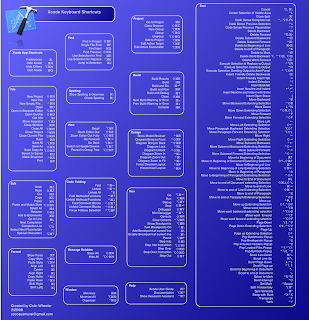
Xcode Shortcut Documents available under CC

Today I am releasing the original pages documents for the Xcode Shortcuts under the Creative Commons 3.0 Attribution License. Basically you can do with it, whatever you want as long as I am attributed as being the original author somewhere, and that's it. I've gotten many requests to alter the Xcode shortcuts to many desktop sizes and other various custom sizes and unfortunately I don't have the time available to alter it for all the requests I've gotten, so this (in addition to releasing it because I think it's just a good idea in general) I hope is a fair compromise that will allow you to edit it how you see fit. Once again the only thing I've done is remove the Xcode logo which you can easily paste back in there by opening the Xcode app package and in the Resources folder opening the appicon.icns file and then pasting the icon back in there. You can download the zip file containing the original Pages Documents here. You will need Pages '09 (part of iWork '09) in order to open the documents. Thanks for all your great feedback on the Xcode Shortcuts!

Thursday, September 17, 2009

Making NSOperation look like GCD

For my last article I posted, I realized that when coming up with code examples that I had been writing examples with NSOperation using it the same way I had been writing code with NSOperation before, namely creating a NSOperation object and adding it to the Queue. However, I overlooked that NSOperationQueue in 10.6 contains a -addOperationWithBlock: method. Using that you could indeed write code with NSOperationQueue that doesn't look too dissimilar from the GCD API like so

//GCD Recursive Decomposition
dispatch_queue_t queue = dispatch_queue_create("com.App.Task",NULL);
 
dispatch_async(queue,^{
	CGFloat num = [self doSomeMassiveComputation];
 
	dispatch_async(dispatch_get_main_queue(),^{
		[self updateUIWithNumber:num];
	});
});
 
//NSOperationQueue Recursive Decomposition
NSOperationQueue *queue = [[NSOperationQueue alloc] init];
[queue setName:@"com.App.Task"];
 
[queue addOperationWithBlock:^{
	CGFloat num = [self doSomeMassiveComputation];
 
	[[NSOperationQueue mainQueue] addOperationWithBlock:^{
		[self updateUIWithNumber:num];
	}];
}];
The only downside to this being that you can't get a reference to the newly created NSOperation object that it creates for you and change it before adding it to the queue, but this creates an Objective-C style way for accomplishing the same thing the GCD API does with only 1 extra line of code.

 
...